Getting an AI agent to do work is the easy part of our job these days. It gets hard when there are ten agents on different projects, and you need to know at all times which one is done, which one is still working and which one has stopped and is waiting on an answer. In this article we walk you through the work we do every day, and take a closer look at the canvas and what it can do.
One canvas instead of ten windows
Before BrightOS, working with agents meant spending the day jumping between terminal windows, browser tabs and an editor open in a corner. Yesterday's sessions were nowhere to be found, the browser an agent was driving got lost among the other windows, and every client's context had to be rebuilt from scratch every time. Luca Belmonte, Head of Architecture at Symboolic, tells us where it all started in the interview we recorded for our channels.
«I was missing a place to put all this information and pull it together. For me, BrightOS started out as an infinite canvas where I could lay out all the agent sessions and the tools I work with.»
Luca Belmonte · Head of architecture di Symboolic
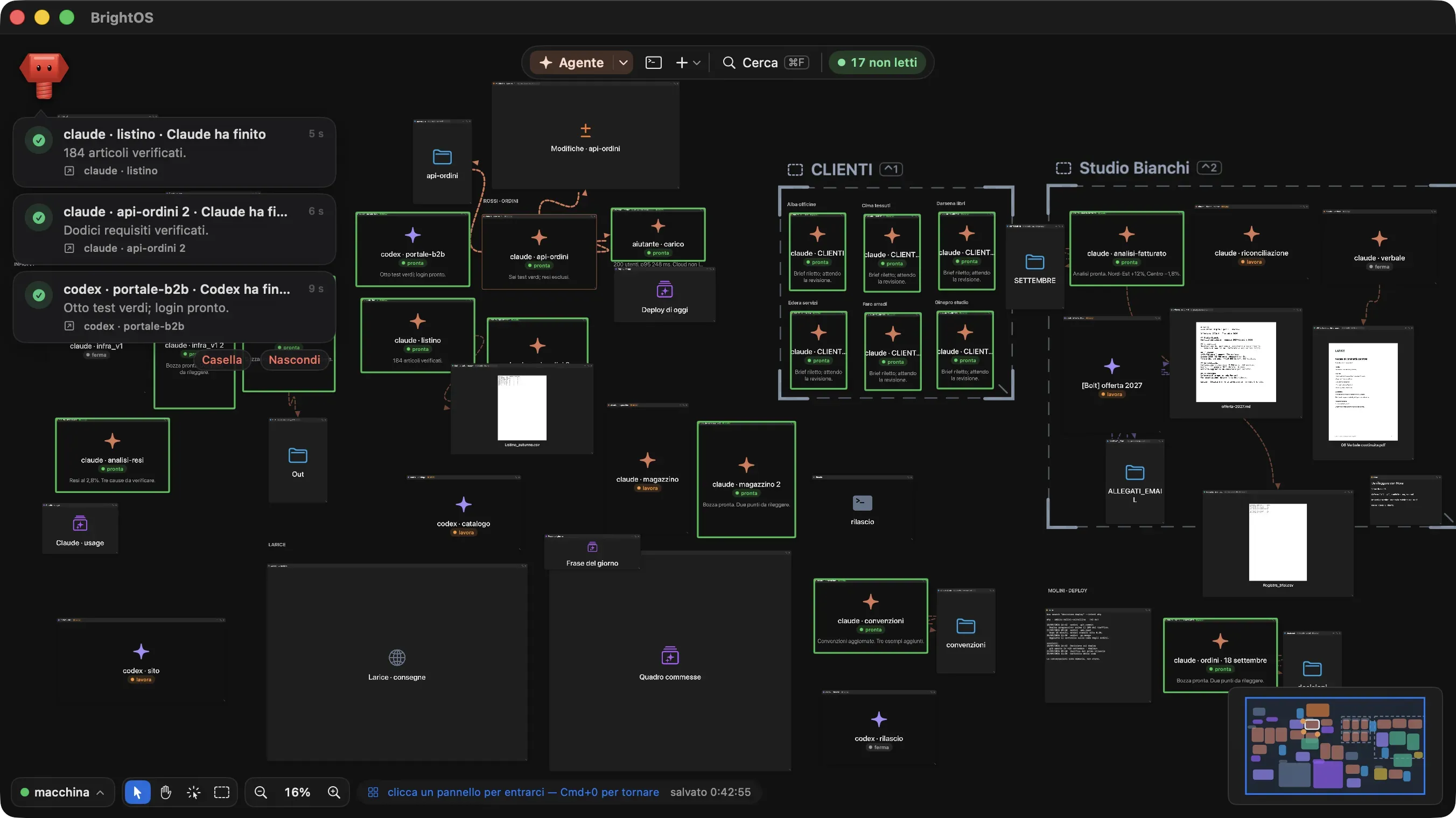
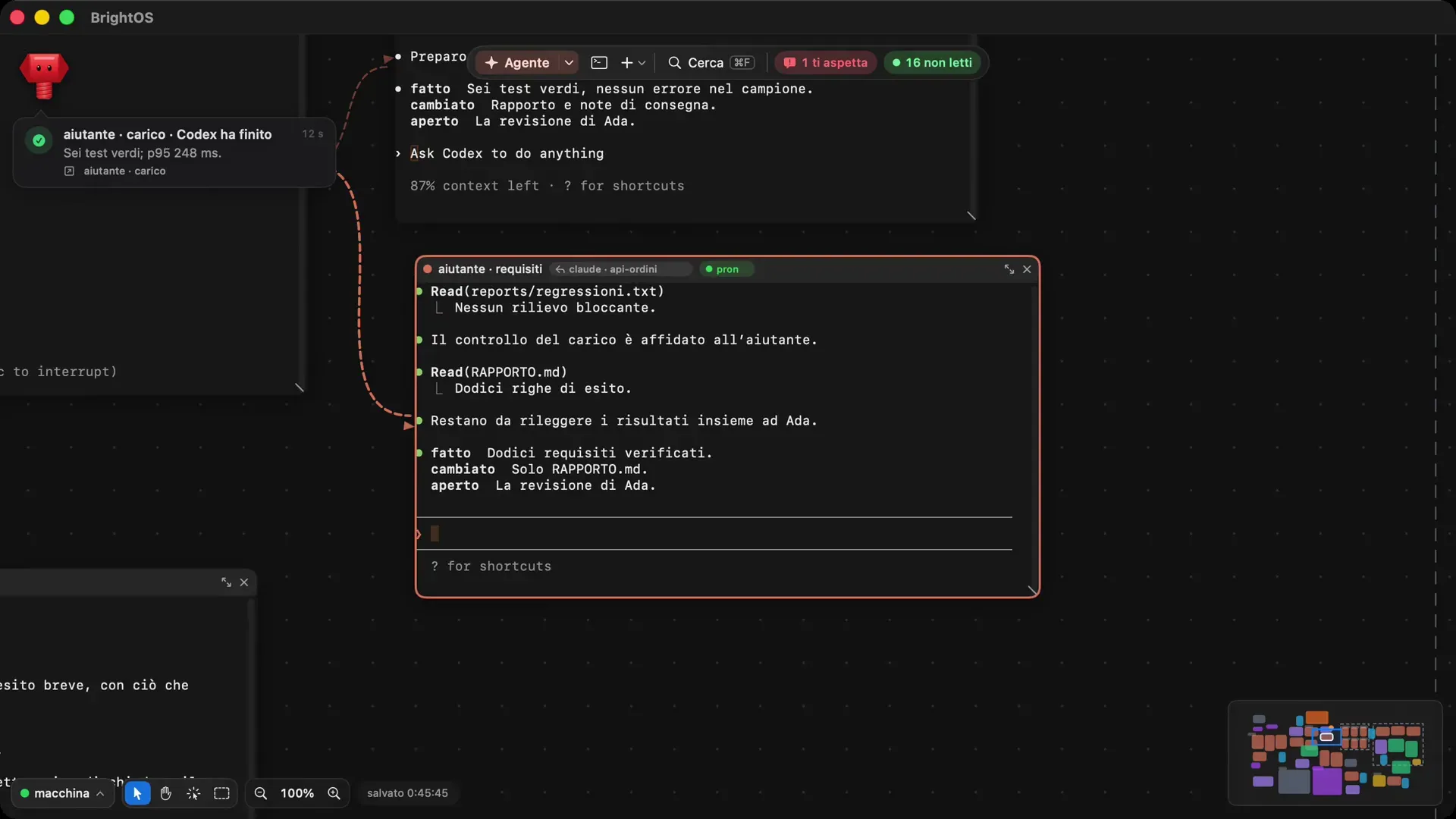
On the canvas, panels can be moved, resized and grouped, and the arrows connecting them show where each one came from, like which session spun up another one or which agent wrote a doc. So even days later, you can piece together the whole history of a job at a glance.
Areas of the canvas get a name, by project or by client, and they're called desktops. A keyboard shortcut takes you from one to the next, kind of like walking into another room at the office, and everyone finds their work exactly where and how they left it.
Who's working, who's done, who's waiting
The real problem with working in parallel is knowing where your attention needs to go. That's why every session always shows its status, and it can only be one of three:
- Working: the agent is moving along and doesn't need anything
- Ready: it's done and there's a result to read
- Waiting: it's stopped on a question or a permission
When an agent finishes or stops, you get a notification, and two counters at the top sum things up: how many sessions are waiting on an answer and how many results haven't been read yet. Here's how Luca puts it.
«Every session gives me a visual cue when it needs my input, when it's done and I have to sign off on it, or when it's still working.»
It's like the agent raising its hand, so you're not clicking around between windows trying to figure out who's stuck.
Zoomed out, zoomed in
You can look at the canvas from different distances. Zoomed out it's a dashboard, where each panel shows just its name, status and latest message, and you can see at a glance who's working, who's done and who's waiting on input. Halfway in you see a project, with three or four agents side by side on the same job and their tools around them. Zoomed all the way in, you're working inside a session: checking, reading and replying.
Moving between these levels is seamless, so from the big picture you jump into a session with one click and back out with a shortcut. Next to each session you can also open a preview of the doc the agent is writing, which keeps updating as it works.
One agent delegates, the others report back
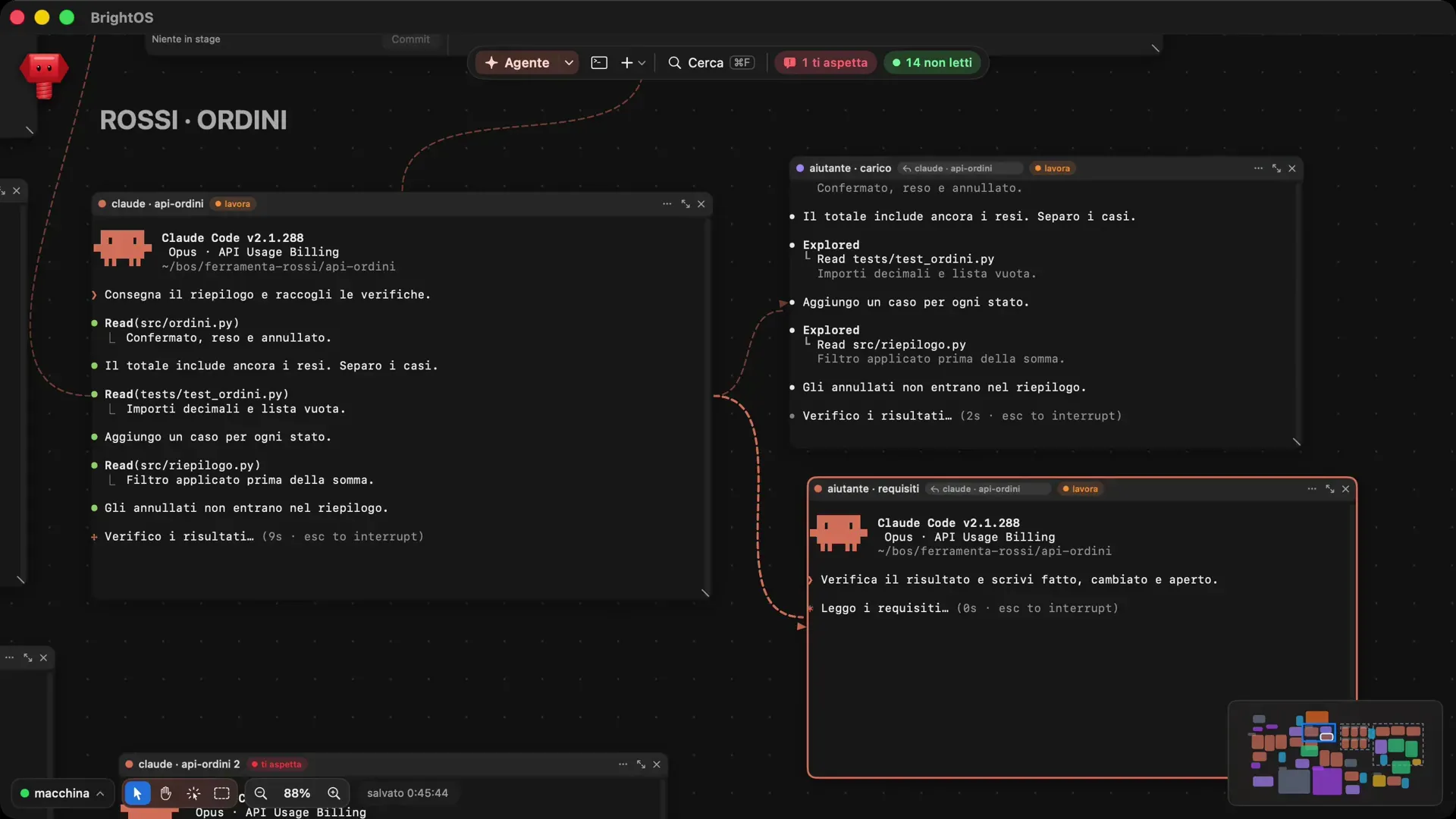
An agent can hand off part of the work to another agent, like a helper that writes the tests, one that benchmarks performance or a reviewer that checks the result against the requirements. On the canvas, each helper shows up next to whoever created it, connected by an arrow, and the delegating agent's budget gets split among its helpers, so the cost of every piece of work stays under control.
The delegation rules don't depend on how well-behaved a single prompt is, because the sandbox enforces them. A helper never gets more permissions than whoever created it, but it does get a budget and a deadline, and it always hands back a result at the end.
One result, always in the same format
Every job handed to an agent wraps up with a three-part result: what got done, what changed and what's still open. The sandbox asks for it at the end of the job, so whoever reads it finds the same structure in every session, no matter who started it.
A canvas you can build just by talking
In BrightOS, everything the app can do is a command, whether that's opening a panel, a session or a file, showing a project's changes, focusing on a spot on the canvas or sending a notification. The same commands work from the keyboard, the command palette and the command line, and agents can use them too.
That's why an agent can open the file it's writing or the app it's building right on the canvas, and if you ask it to "make me a panel with today's deploys," it builds the panel, which shows up on the canvas and can be tweaked later with another request.
Bolt, the canvas supervisor
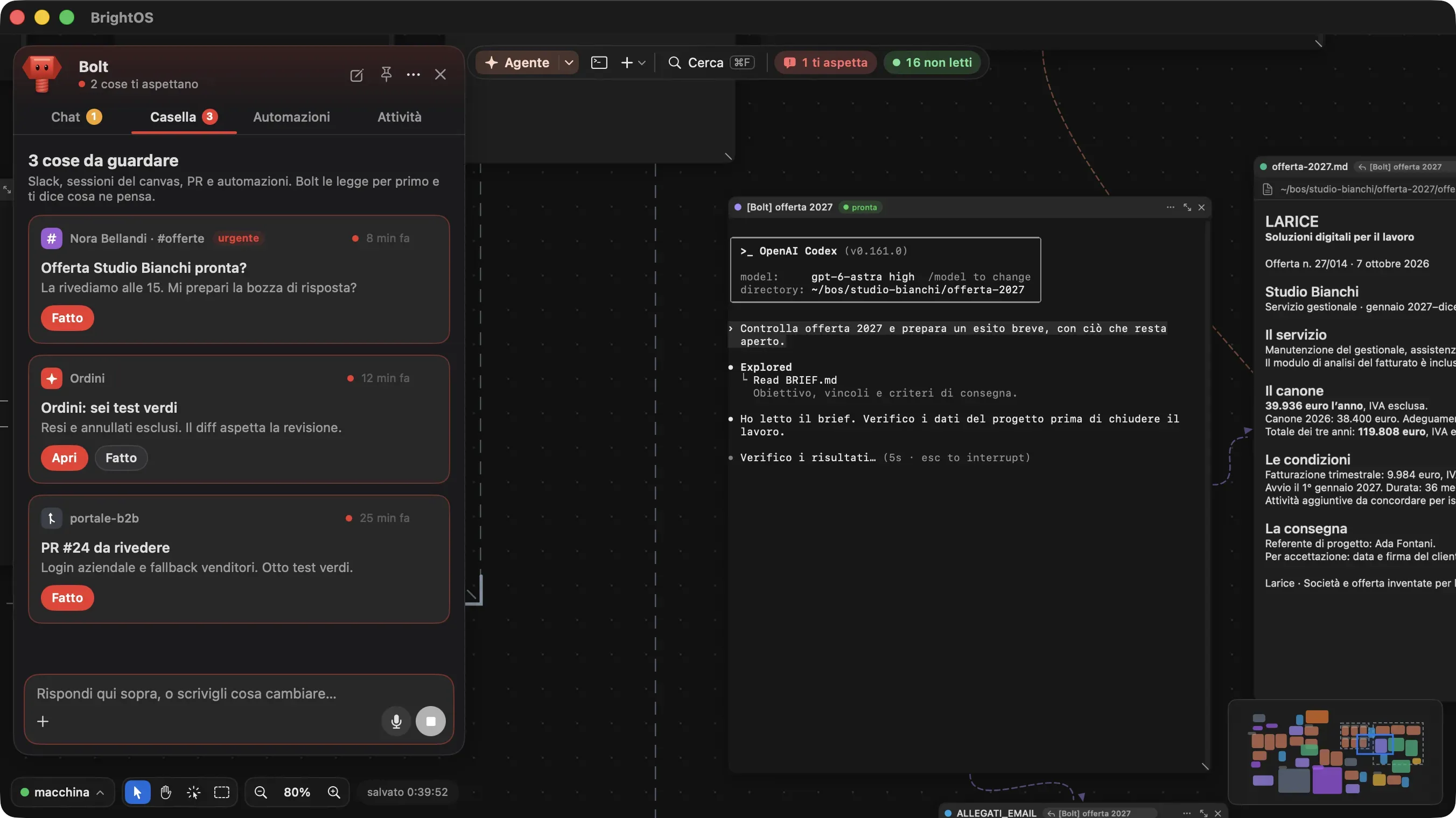
With dozens of sessions open, even the canvas needs someone keeping an eye on it. In the first two articles we saw Bolt put together the morning recap and wait for a yes before replying to a coworker. Here it has a different role, what Luca calls the canvas supervisor.
Bolt collects everything that needs attention in an inbox, like a Slack message, a session that's finished or a change to review, and leaves its take on each item. It can run automations on a schedule or when something happens, and you can even talk to it by voice. It handles quick tasks itself, while longer ones get handed off to a session that shows up on the canvas like any other agent, with its own status and result.
What changes when you entrust us with a project
All of this happens inside the workshop, but it's really for the people outside it. When one person can keep tabs on several agents in parallel without losing track, work on your project keeps moving even while they're doing other things, no agent's question sits unanswered without someone noticing, and every piece we deliver comes with a written result that says what got done and what's still to be decided.